
Mbps, Latency, and Upload vs. Download: The Internet Speed Terms Worth Knowing

| Standard speed unit | Mbps (megabits per second) |
| Bits in a byte | 8 bits = 1 byte |
| Latency measured in | Milliseconds (ms) |
| Low-latency gaming target | Under 30 ms (general guideline) |
| Video call latency target | Under 150 ms with low jitter |
| Typical cable upload ratio | Significantly lower than download |
Why Internet Speed Jargon Trips People Up
Internet service providers advertise plans using numbers and abbreviations that can feel more confusing than clarifying. You might see "300 Mbps download" on a plan description and have no clear sense of whether that's enough for your household - or whether the latency figure on your speed test should concern you. These terms have precise meanings, and knowing them puts you in a better position to evaluate your service, troubleshoot sluggish connections, and avoid paying for more than you need.
This reference guide defines the core internet speed terms in plain English. Whether you're comparing plans, reading a speed test result, or trying to figure out why video calls keep stuttering, the definitions below are the foundation you need. For a closer look at how connection technology affects real-world performance, see our comparison of fiber and cable internet.
| Standard speed unit | Mbps (megabits per second) |
| Bits in a byte | 8 bits = 1 byte |
| Latency measured in | Milliseconds (ms) |
| Low-latency gaming target | Under 30 ms (general guideline) |
| Video call latency target | Under 150 ms with low jitter |
| Typical cable upload ratio | Significantly lower than download |
The Core Terms Defined
Mbps (Megabits per Second)
Mbps stands for megabits per second and is the standard unit for measuring internet connection speed. It measures how much data can travel through your connection in one second. One megabit equals one million bits. The higher the Mbps number, the more data can move at once - which generally translates to faster loading times and the ability to support more simultaneous activities. Note that megabits (Mb) are different from megabytes (MB): there are 8 bits in a byte, so a 100 Mbps connection transfers roughly 12.5 megabytes of data per second.
Download Speed
Download speed measures how fast data travels from the internet to your device. Streaming video, loading web pages, pulling up social media feeds, and receiving email attachments all rely on download speed. It's the figure ISPs typically lead with in plan advertising because it's the speed most users consume most of the time.
Upload Speed
Upload speed measures how fast data travels from your device to the internet. Video calls, sending large files, live streaming, and cloud backups depend heavily on upload speed. Many cable and DSL connections are asymmetric - they provide much higher download speeds than upload speeds. Fiber connections tend to offer more balanced ratios. If you work from home or frequently share large files, upload speed deserves as much attention as download speed. Our article on what internet speed you actually need breaks this down by use case.
Latency
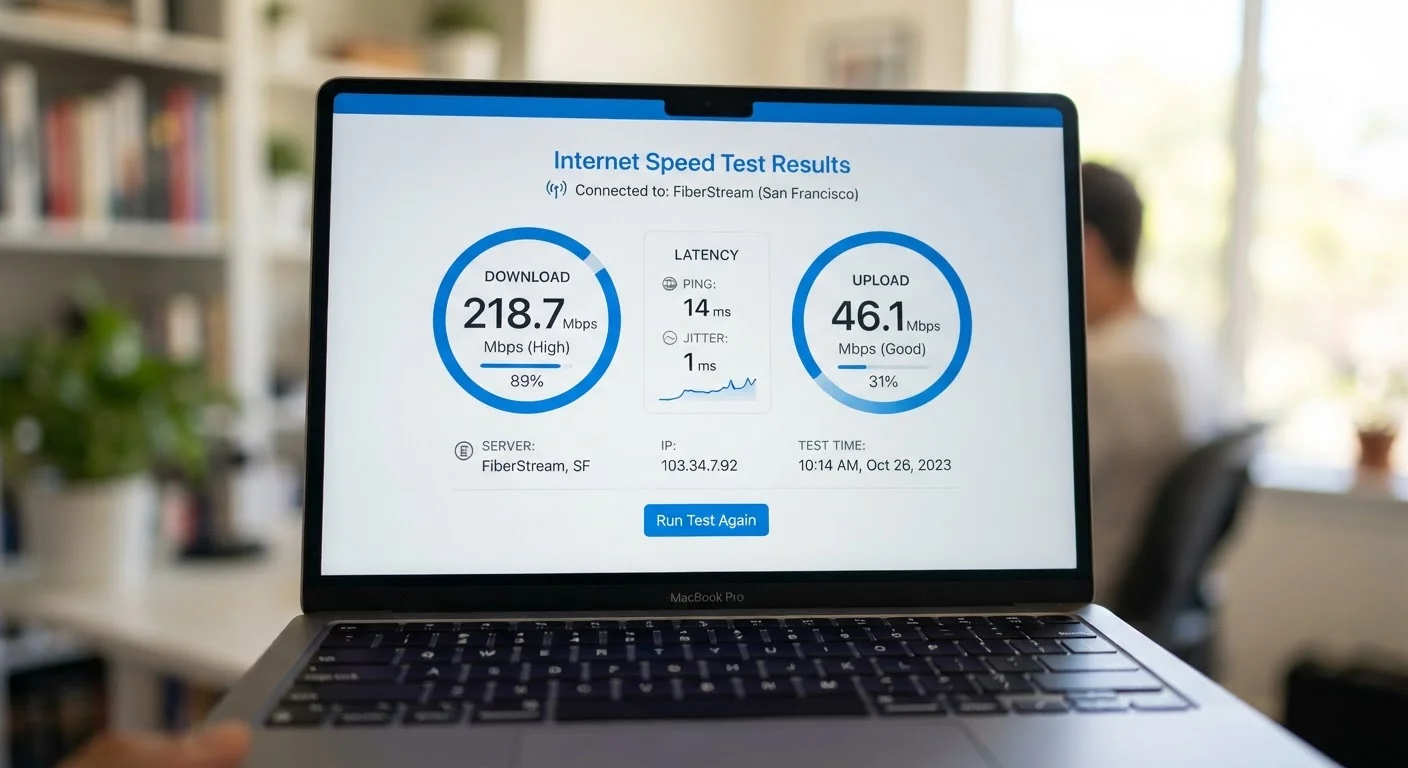
Latency is the time it takes for a data packet to travel from your device to a server and back, measured in milliseconds (ms). It is often called ping on speed test tools. Lower latency means a more responsive connection. High latency causes noticeable lag in online gaming, video conferencing, and real-time voice calls, even when your Mbps numbers look fine. A connection can have high download speed and still feel sluggish if latency is elevated - these are independent measurements.
Bandwidth
Bandwidth is the maximum capacity of a connection - the ceiling of how much data it can carry at once. Mbps is the unit used to express bandwidth. Think of bandwidth as the number of lanes on a highway: more lanes let more traffic flow simultaneously, but individual cars (data packets) don't travel faster per se. When many devices share a connection at once, available bandwidth gets divided among them.
Jitter
Jitter measures the variation in latency over time. If your latency bounces between 10 ms and 90 ms in rapid succession rather than staying consistent, that variability is jitter. It's particularly disruptive during video calls and online gaming because applications expect data to arrive at predictable intervals. High jitter often points to network congestion or an unstable connection.
Mbps
Megabits per second - the standard unit of internet speed measurement. One Mbps equals one million bits transferred per second. Higher Mbps generally means faster data transfer.
Download Speed
The rate at which data moves from the internet to your device, measured in Mbps. It affects streaming, browsing, and receiving files.
Upload Speed
The rate at which data moves from your device to the internet, measured in Mbps. It affects video calls, cloud backups, and sending large files.
Latency
The time in milliseconds it takes for data to travel from your device to a server and return. Also called ping. Lower latency means a more responsive connection.
Bandwidth
The maximum capacity of a connection - how much data it can carry at once. Expressed in Mbps, it represents the ceiling of throughput, not the guaranteed speed.
Jitter
The inconsistency in latency over time. High jitter causes choppy video calls and lag in gaming because data arrives at unpredictable intervals.
Asymmetric Connection
An internet connection where download and upload speeds differ significantly. Common with cable and DSL plans, where download speeds far exceed upload speeds.
Ping
A practical measurement of latency, displayed in milliseconds on speed test tools. It reflects how quickly your connection responds to a request.
How to Put These Numbers in Context
Raw numbers only tell part of the story. A speed test showing 200 Mbps download and 10 Mbps upload describes two very different experiences depending on what you do online. Someone who streams video and browses the web may find 200 Mbps more than adequate. A video producer uploading large project files to a cloud drive will feel the constraint of that 10 Mbps upload ceiling immediately.
Latency context matters just as much. For general web browsing, latency under 100 ms is rarely noticeable. For competitive online gaming, many players prefer latency under 30 ms. For video conferencing, consistent latency below 150 ms - with low jitter - tends to produce reliable call quality.
ISPs advertise "up to" speeds, which represent the theoretical maximum under ideal conditions. Actual speeds can vary due to network congestion, the quality of in-home wiring, router placement, and the number of connected devices. Our guide to spotting when you're getting less speed than you're paying for explains what to look for and how to test your connection accurately.
Understanding these terms also helps when evaluating connection types. Different technologies - such as DSL, cable, fiber, and fixed wireless - have different typical speed profiles and latency characteristics. For a side-by-side breakdown, see our overview of DSL, cable, fiber, and fixed wireless. And if you're unsure whether your router or modem is the bottleneck, our explanation of routers, modems, and gateways can help clarify which hardware does what.