

Key Takeaways
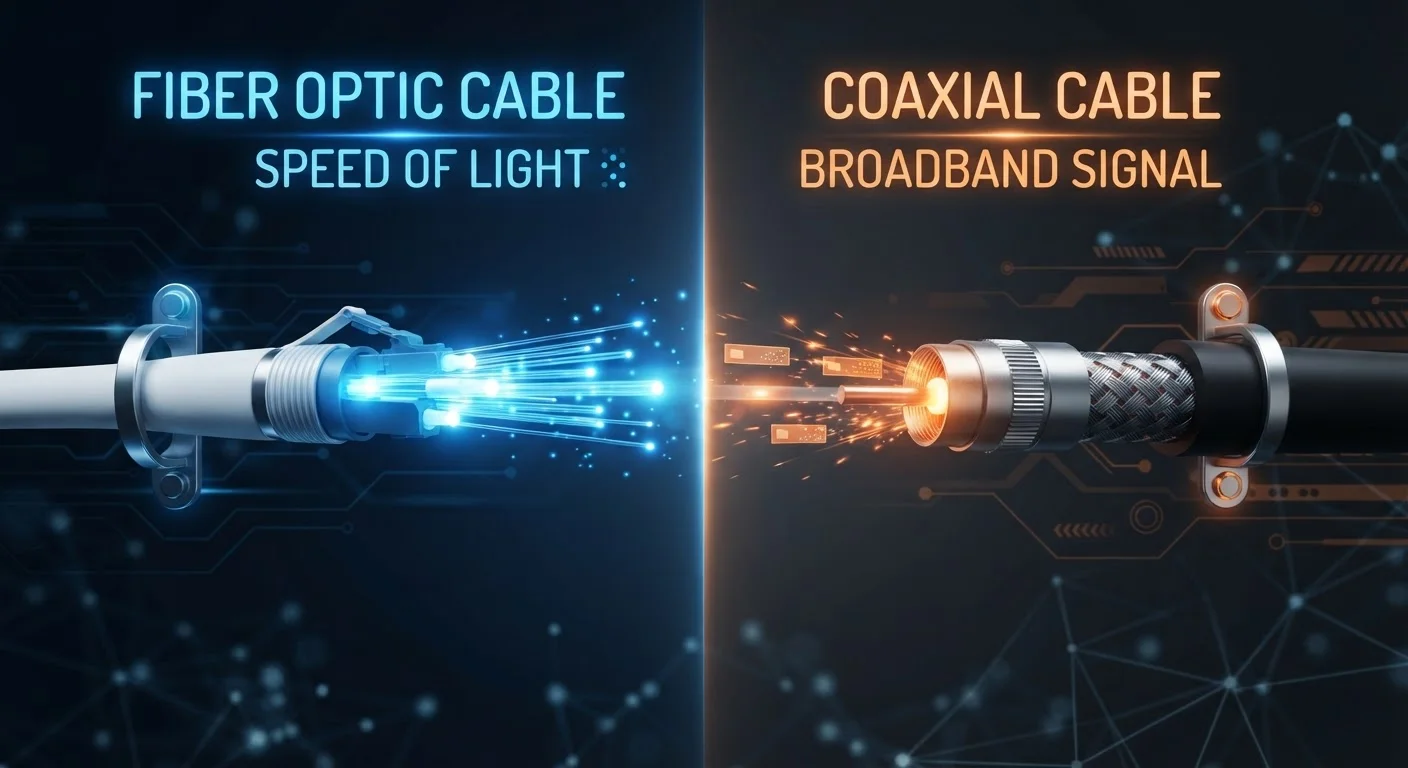
- Fiber uses light signals through glass strands; cable uses electrical signals through coaxial copper lines.
- Fiber typically delivers equal upload and download speeds; cable upload speeds are usually much slower.
- Cable internet is available to more US households than fiber, which is still expanding its infrastructure.
- Both technologies can deliver high download speeds, but fiber tends to be more consistent during peak hours.
- Network congestion affects cable more than fiber during high-traffic periods.
- Availability, not preference, is often the deciding factor for most US households.
Option A
Fiber Internet
The newer, symmetrical, and highly consistent technology.
Best for: Households with multiple simultaneous users, remote workers, gamers, and anyone who regularly uploads large files.
Option B
Cable Internet
The widely available, established broadband standard.
Best for: Households in areas without fiber access, or users who primarily download and stream without heavy upload demands.
If you work from home and frequently upload large files or video conference
Fiber Internet
Fiber's symmetrical speeds mean upload performance matches download, which makes a meaningful difference for video calls, cloud backups, and file transfers.
If fiber is not yet available in your area
Cable Internet
Cable remains a capable broadband option that supports streaming, browsing, and everyday use - and it reaches far more US addresses than fiber currently does.
If your household has four or more people streaming or gaming simultaneously
Fiber Internet
Fiber's greater bandwidth consistency and lack of shared-node congestion makes it better suited to high-demand multi-user households.
If you mainly stream video and browse the web with one or two users
Cable Internet
For lighter usage patterns, a well-performing cable connection is more than adequate and is often easier to access depending on your location.
How the Two Technologies Actually Work
Understanding the performance differences between fiber and cable starts with how each one moves data to your home.
Fiber internet transmits data as pulses of light through thin strands of glass or plastic called optical fibers. Because light signals experience minimal interference and degradation over distance, fiber connections maintain their performance characteristics consistently. Most fiber deployments today run the connection all the way to the home - a configuration known as FTTH or FTTP.
Cable internet uses coaxial cable - the same type of copper-based infrastructure originally built for cable television. Data is transmitted as electrical signals, and those signals share bandwidth on a local network node with neighboring subscribers. That shared architecture is an important detail that affects real-world performance.
For a broader look at how these and other connection types compare, see DSL, Cable, Fiber, and Fixed Wireless: What Sets Each Connection Type Apart.
| Criterion | Fiber Internet | Cable Internet |
|---|---|---|
| Transmission medium | Light through glass/plastic fiber | Electrical signals through coaxial copper |
| Typical download speeds | 200 Mbps - 5 Gbps | 100 Mbps - 1.2 Gbps |
| Typical upload speeds | Symmetrical (matches download) | 10-35 Mbps on most plans |
| Typical latency | Under 10 ms | 15-30 ms |
| Peak-hour congestion | Generally minimal | Can be noticeable on shared nodes |
| US household availability | Lower - still expanding | Higher - widely deployed |
| Infrastructure maturity | Newer; long-term scalability strong | Mature; being upgraded (DOCSIS 4.0) |
Speed, Upload Parity, and Peak-Hour Congestion
On paper, both fiber and cable can deliver download speeds sufficient for most households. The differences become more apparent when you look beyond raw download numbers.
Upload speed asymmetry is one of cable's most significant limitations. Cable plans routinely offer download speeds of 200-1,000 Mbps but upload speeds of only 10-35 Mbps - a gap that is baked into the underlying DOCSIS standard the technology relies on. Fiber plans, by contrast, typically offer symmetrical speeds - what you get for downloading is what you also get for uploading.
This matters increasingly as households upload more: video conferencing, cloud storage sync, remote desktop access, and content creation all depend on upload performance. If you want to understand the relationship between these metrics, our guide to Mbps, latency, and upload vs. download speeds explains the concepts clearly.
Peak-hour congestion is another real distinction. Because cable subscribers in a neighborhood share bandwidth on a local node, speeds often slow during evenings when usage is heaviest. Fiber networks are generally designed to handle high simultaneous demand with less degradation - though the quality of any connection depends partly on how well a provider maintains its infrastructure.
~43%
US homes with fiber access
According to FCC broadband data, fiber availability has grown substantially but still covers fewer US addresses than cable infrastructure.
10x+
Upload speed gap on typical cable plans
Cable plans commonly advertise download speeds 10 to 30 times faster than their upload speeds, a gap driven by DOCSIS architecture limitations.
<10 ms
Typical fiber latency
Fiber connections commonly achieve latency under 10 milliseconds, compared to 15-30 ms typical for cable, according to broadband performance studies.
Availability, Infrastructure, and What Most Households Can Actually Access
Preference for fiber is easy to justify on technical grounds - but availability limits the choice for many Americans. As of recent industry data, fiber internet passes a significantly smaller share of US homes compared to cable, which has been built out over decades across urban, suburban, and many rural communities.
Fiber expansion is ongoing and accelerating, supported in part by federal broadband funding programs, but deployment is uneven. Dense urban areas tend to have more fiber options; suburban and rural households may have only cable - or, in some cases, neither. If neither option is accessible, satellite internet represents a different set of trade-offs worth understanding.
It is also worth noting that cable technology is not standing still. The DOCSIS 3.1 standard enables multi-gigabit download speeds and improved upload performance on cable infrastructure, and the newer DOCSIS 4.0 specification is designed to bring greater symmetry to cable connections - narrowing some of the gaps fiber currently holds. How broadly and quickly those upgrades roll out depends on individual providers.
Before assuming your options, it is worth checking what infrastructure actually serves your specific address - coverage maps provided by providers or state broadband offices are a useful starting point.
Reliability, Latency, and Everyday Differences That Matter
For most everyday tasks - browsing, email, standard-definition streaming - both connection types perform adequately when operating normally. The differences show up in specific contexts.
Latency, which is the time it takes for data to travel between your device and a server, tends to be lower on fiber. Cable connections typically operate in the 15-30 ms range, while fiber connections often come in under 10 ms. For online gaming or real-time video conferencing, lower latency reduces lag and improves responsiveness. For casual web browsing, the difference is generally imperceptible.
Reliability during outages varies more by provider and local infrastructure than by technology type alone. Both fiber and cable connections can be disrupted by physical damage to lines. However, fiber cables are not affected by electrical interference and do not corrode the way copper can over time - factors that can contribute to more stable performance over the long term.
If you suspect your current connection is underperforming relative to your plan, Signs You're Getting Less Internet Speed Than You're Paying For covers how to test and interpret your results. It is also worth reviewing common home internet myths to avoid making plan decisions based on misconceptions about speed and performance.
Technology Alone Doesn't Guarantee Performance
Even the best connection technology can underperform if the provider's network is poorly maintained, your home router is outdated, or internal wiring is degraded. Fiber does not automatically mean perfect reliability, and cable does not automatically mean poor performance. The quality of installation and provider infrastructure matters significantly alongside the underlying technology type.