
DSL, Cable, Fiber, and Fixed Wireless: What Sets Each Connection Type Apart

Key Takeaways
- DSL uses existing phone lines and is widely available but generally offers the slowest speeds of the four main technologies.
- Cable internet shares bandwidth among neighborhood users, which can cause slowdowns during peak hours.
- Fiber delivers the fastest and most consistent speeds but isn't available in all areas.
- Fixed wireless can serve rural and suburban areas without needing underground cables, though obstructions affect signal quality.
Our Verdict
No single connection type wins for every household - the right choice depends on what's available at your address, how many people are online simultaneously, and what activities you prioritize. Fiber offers the strongest overall performance where it exists; cable is a capable and widely available alternative; DSL works for light users where nothing faster is on offer; and fixed wireless fills important gaps in underserved areas.
| Best for | Recommended |
|---|---|
| Heavy users who stream, game, or work from home | Fiber |
| Households in suburban or urban areas without fiber access | Cable |
| Light users in areas where only phone-line infrastructure exists | DSL |
| Rural households beyond the reach of cable or fiber | Fixed Wireless |
The Four Technologies at a Glance
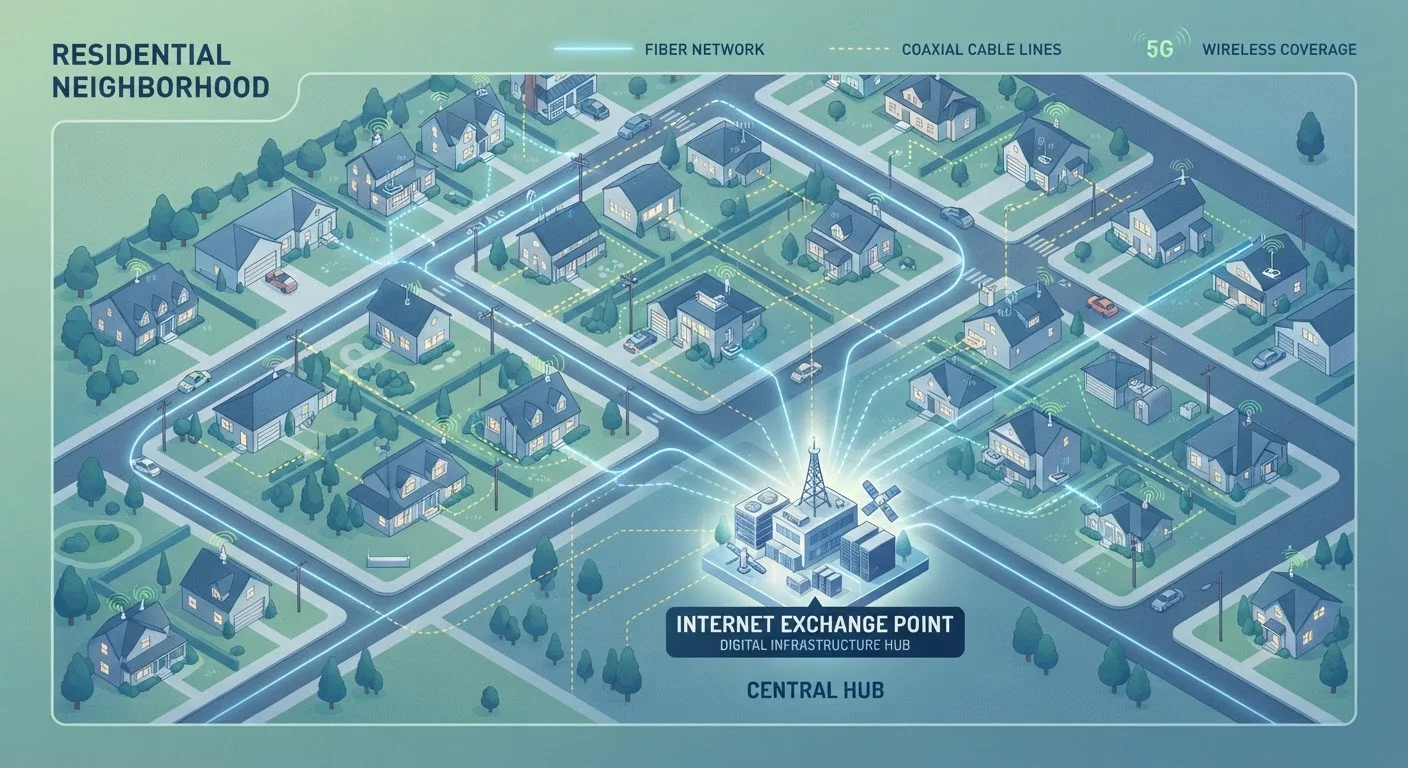
Most American homes connect to the internet through one of four physical technologies: DSL, cable, fiber, or fixed wireless. Each one moves data differently, uses different infrastructure, and comes with distinct speed ranges, reliability profiles, and geographic footprints. Understanding how they work helps you evaluate what's actually on offer at your address - and what trade-offs you're accepting.
For a deeper look at what happens once data enters your home, see how home internet connections actually work. And if terms like Mbps, latency, or upload speed are unfamiliar, this internet speed terminology guide is a useful starting point.
| DSL | Cable | Fiber | Fixed Wireless | |
|---|---|---|---|---|
| Typical download speeds | 1-100 Mbps | 50-1,000+ Mbps | 100 Mbps-2+ Gbps | 25-500 Mbps |
| Upload speed parity | Low (asymmetric) | Low-moderate (asymmetric) | High (often symmetric) | Moderate (varies) |
| Latency | Moderate | Moderate | Low | Moderate-higher |
| Reliability | Moderate; distance-sensitive | Good; can slow at peak hours | Excellent; consistent | Variable; signal-dependent |
| Rural availability | Broad | Limited | Limited | Growing |
| Infrastructure required | Copper phone lines | Coaxial cable | New fiber lines | Tower antenna + home antenna |
DSL: Using the Phone Network to Carry Data
DSL (Digital Subscriber Line) transmits internet data over the same copper telephone wiring that has connected homes for decades. Because that infrastructure is so widespread, DSL has historically been one of the most available broadband options in the U.S., including in rural communities.
The core limitation is speed - and distance. DSL performance degrades the farther your home sits from the telephone company's local equipment, called a DSLAM. Speeds can range from a few Mbps up to 100 Mbps on newer VDSL variants, but many households on older lines see significantly less. Upload speeds are typically much lower than download speeds. For households doing light browsing, email, and standard-definition video, DSL may be adequate. For multi-device streaming or video conferencing, it often falls short.
Check What's Available at Your Address
Advertised availability doesn't always match what's actually serviceable at a specific address. Before assuming you have access to a particular technology, check directly with providers or use the FCC's Broadband Map as a starting point - then confirm with a provider whether your address qualifies. Speeds and plans can differ even block by block in some areas.
Cable: Fast and Widespread, But Shared
Cable internet runs on coaxial cable - the same wiring originally built for cable television. It's available to a large share of U.S. households and generally offers download speeds well into the hundreds of Mbps, with some providers offering gigabit tiers.
The key architectural point: cable connections in a neighborhood share capacity on the same local network segment. During peak usage hours - typically evenings - you may notice slower speeds as more neighbors are online simultaneously. This is sometimes called network congestion. Upload speeds on cable have traditionally lagged far behind download speeds, though a newer standard called DOCSIS 3.1 and the emerging DOCSIS 4.0 are narrowing that gap over time.
For a detailed head-to-head, fiber vs. cable compared in depth walks through everyday performance differences.
Fiber: The Fastest and Most Consistent Option
Fiber-optic internet transmits data as pulses of light through thin glass or plastic strands rather than electrical signals through metal wire. This gives fiber several meaningful advantages: speeds that can reach 1 Gbps or more symmetrically (matching upload and download), very low latency, and performance that doesn't degrade with distance the way copper-based technologies do.
Fiber is also less susceptible to interference and doesn't suffer from the neighborhood-sharing congestion that affects cable. The primary limitation is availability - fiber networks require new infrastructure investment, and build-out remains uneven across the country. Urban and many suburban areas have growing fiber options; large portions of rural America still have limited or no access.
Knowing what internet speed your household actually needs can help you assess whether fiber's higher tiers are worth pursuing or whether a lower-capacity plan suits your usage.
Fixed Wireless: Bridging Coverage Gaps
Fixed wireless access (FWA) delivers internet via radio signals from a nearby tower to an antenna mounted on or near your home, rather than through buried cables. This makes it particularly useful in areas where running cable or fiber is economically or physically impractical.
Performance varies based on the distance to the tower, the radio frequency used, and whether trees, hills, or buildings obstruct the signal path. Speeds typically range from 25 Mbps to several hundred Mbps depending on the network generation - older deployments may be slower, while newer 5G-based fixed wireless can approach cable-tier speeds in favorable conditions. Latency is generally higher than fiber but lower than traditional satellite.
Fixed wireless is worth distinguishing from satellite internet, which involves much greater distances and different latency profiles. Satellite internet's trade-offs are covered separately for readers in areas where ground-based options are absent entirely.
Whatever connection type you have at home, understanding your equipment matters too. Modems and routers serve distinct functions, and knowing which you need - or whether a gateway combines both - can affect your setup and troubleshooting.