

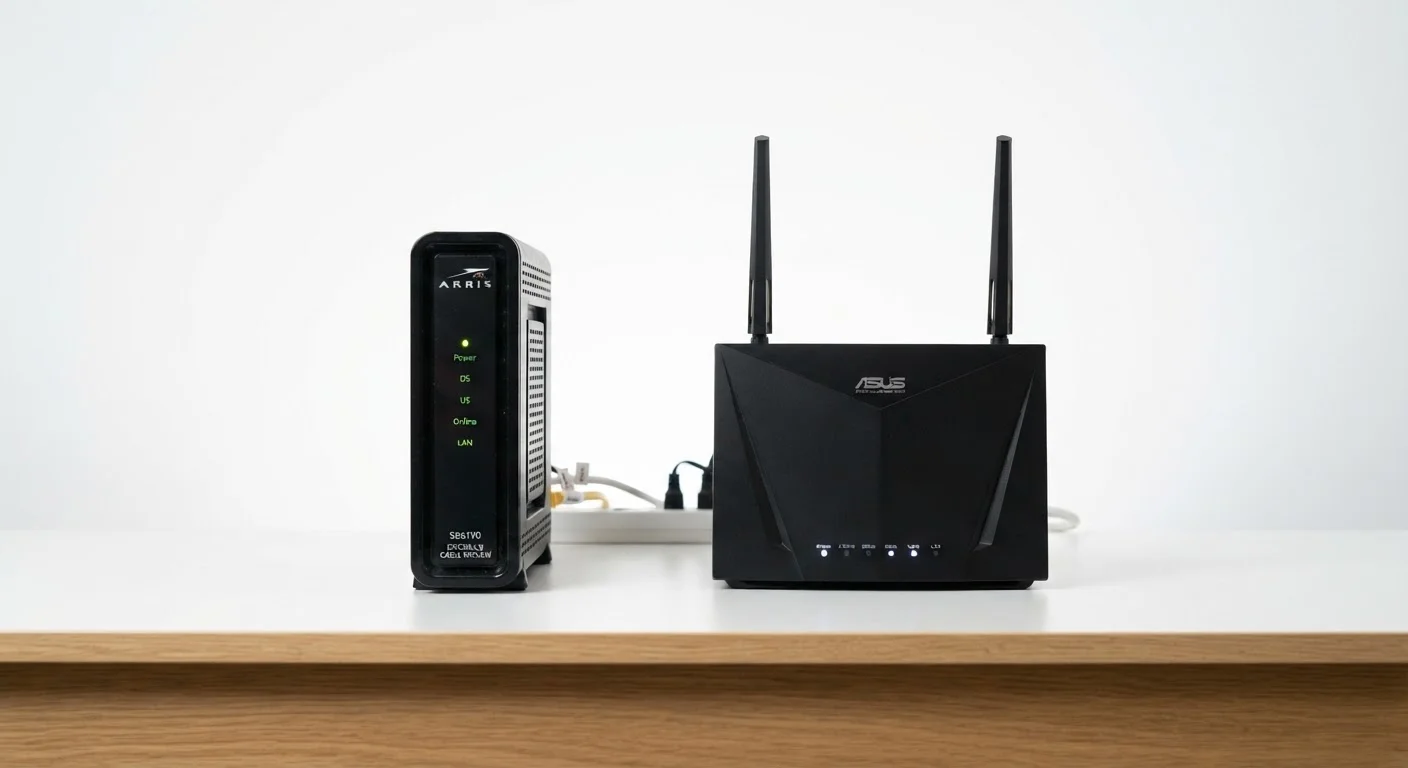
Key Takeaways
- A modem connects your home to your internet service provider (ISP); a router connects your devices to each other and to the modem.
- Without a modem, no internet signal enters your home; without a router, only one device can use that signal at a time.
- Many ISPs supply a combined gateway device that performs both functions in a single box.
- Understanding which device is at fault helps you troubleshoot outages and slow speeds faster.
- You can often rent or own either device separately, depending on your ISP's policies.
Option A
Modem
The gateway between your home and your ISP.
Best for: Translating your internet provider's signal into a format your home network can use.
Option B
Router
The traffic director inside your home network.
Best for: Distributing a live internet connection across multiple devices via Wi-Fi or Ethernet.
If your internet is completely out and no devices can connect
Modem
A total loss of connectivity typically points to the modem or the ISP line itself. Restarting the modem is usually the first diagnostic step.
If some devices connect but others don't, or Wi-Fi is slow
Router
When the modem's signal is fine but device-level distribution is failing, the router is the likely point of trouble.
If you want a simpler home network setup with fewer devices
Modem
A combined gateway modem-router unit reduces hardware clutter and is a practical choice for smaller households with modest device counts.
If you have many devices or need strong whole-home Wi-Fi coverage
Router
A dedicated router - or a mesh router system - gives you more control over network performance, range, and device management than a basic combined unit.
What a Modem Actually Does
The word modem is a blend of "modulator" and "demodulator" - which describes its core job precisely. Your internet service provider (ISP) delivers a signal to your home over a physical medium: a coaxial cable, a phone line, or a fiber-optic strand. That signal is encoded in a format the provider's network understands, but your home devices do not. The modem translates it into a standard digital signal - specifically, an Ethernet signal - that computers and routers can read.
Think of the modem as a border crossing. Data coming from the wider internet arrives in one "language," and the modem converts it into the language spoken inside your home network. Without it, there is simply no internet entering your premises at all.
Different connection types require different modem hardware. A cable modem handles the DOCSIS protocol used by cable providers, while a DSL modem works with phone-line-based connections. Fiber connections often use a device called an ONT (Optical Network Terminal), which performs a comparable function. For a deeper look at how these technologies differ, see DSL, cable, fiber, and fixed wireless compared.
| Criterion | Modem | Router |
|---|---|---|
| Primary function | Connects home to ISP | Distributes connection to devices |
| Where it sits in the chain | Between ISP line and router | Between modem and your devices |
| Creates Wi-Fi? | No (standalone modem) | Yes |
| Assigns device IP addresses? | No | Yes (via DHCP) |
| Works without the other? | Provides signal, no local network | Local network only, no internet |
| Requires ISP compatibility? | Yes - must match connection type | Generally works with any modem |
| Typical hardware type | Cable, DSL, or fiber modem/ONT | Wireless router or mesh system |
What a Router Actually Does
Once the modem has established an internet connection, the router takes over. Its job is to distribute that connection across all the devices in your home - laptops, phones, smart TVs, game consoles - and to manage the traffic between them.
Routers assign each device a local IP address (using a protocol called DHCP), direct incoming and outgoing data packets to the right destination, and maintain a firewall that provides a basic layer of protection between your devices and the public internet. A router also creates your home's Wi-Fi network, broadcasting the wireless signal your phone connects to when you're on the couch.
Critically, a router without a modem has nowhere to send traffic. It can create a local network - your devices can see each other - but no data can reach the internet. The two devices are partners, not substitutes.
1
Devices a modem alone can serve
A standalone modem outputs a single Ethernet connection, meaning only one device can connect directly without a router in between.
2-50+
Devices a typical home router supports
Consumer routers are designed to handle anywhere from a handful to dozens of simultaneous device connections, depending on the hardware tier.
~30 sec
Standard modem restart wait time
ISP support guidelines commonly recommend unplugging a modem for at least 30 seconds to allow the provider's systems to fully reset the connection.
For a broader explanation of how all these pieces fit together, Home Internet, Explained walks through the full picture in plain language.
Gateway Devices: When Both Are Combined
Many ISPs provide a single device called a gateway that integrates modem and router functions into one box. This is practical for straightforward setups: fewer cables, one power adapter, and a single device to manage. ISPs often prefer renting gateways to customers because it simplifies support calls.
However, combined gateways can have trade-offs. They tend to offer less flexibility than using two separate, purpose-built devices. Some users who rent a gateway from their ISP also add their own router behind it - a configuration called double NAT - which can occasionally cause connectivity quirks if not configured carefully.
For a full breakdown of how gateways compare to standalone modems and routers, Router, Modem, and Gateway: Sorting Out What Each Device Actually Does covers the distinctions in detail.
If you're just beginning to make sense of home networking terminology, Getting a Handle on Your Home Network is a solid starting point.
Renting vs. Owning Your Modem
Many ISPs charge a monthly equipment rental fee for a gateway or modem they supply. Customers who purchase a compatible modem outright can often eliminate that recurring charge, though the device must appear on the ISP's approved compatibility list. Routers are generally not rented through ISPs, giving consumers more freedom to choose their own hardware. Always confirm compatibility with your provider before purchasing any standalone modem.
Using This Knowledge to Troubleshoot Smarter
Knowing which device does what turns vague frustration into a targeted diagnosis. If all devices in your home have lost internet access simultaneously, the problem likely sits at the modem level - or upstream with the ISP itself. Restarting the modem (unplugging it for 30 seconds, then waiting for it to fully reconnect) is a standard first step.
If some devices are slow or disconnected while others work fine, the router is the more likely culprit. Restarting the router separately, checking for firmware updates, or examining which devices are consuming bandwidth can help isolate the issue.
It's also worth understanding that the connection type in your home shapes which modem-compatible hardware is even an option. Wi-Fi vs. Mobile Data explores another layer of this: how your phone decides whether it's using your home router's signal or falling back to cellular - a distinction that matters when diagnosing device-level problems.
In short, treating these two devices as one is what makes troubleshooting feel like guesswork. Once you know the boundary between them, each step in the diagnostic process becomes logical rather than random.