

| Modem's job | Connects your home to the ISP's network |
| Router's job | Distributes internet within your home and creates Wi-Fi |
| Gateway | One device combining both modem and router functions |
| Can a modem work alone? | Yes, but only one device can connect at a time |
| Can a router work without a modem? | No - it needs a modem or gateway for an internet source |
| Bridge mode purpose | Disables gateway's router so your own router takes over |
Why These Three Terms Get Confused
Walk into any internet troubleshooting conversation and you'll hear modem, router, and gateway used almost interchangeably. They shouldn't be. Each device performs a distinct job, and knowing the difference helps you diagnose problems faster, ask smarter questions when calling your internet provider, and make better decisions about your home setup.
If you've ever wondered why your ISP calls the box they shipped you a "gateway" while the store sells "routers" and "modems" separately, this reference will clear that up. For a deeper look at how speed and signal quality relate to these devices, see our guide on internet speed terms worth knowing.
| Modem's job | Connects your home to the ISP's network |
| Router's job | Distributes internet within your home and creates Wi-Fi |
| Gateway | One device combining both modem and router functions |
| Can a modem work alone? | Yes, but only one device can connect at a time |
| Can a router work without a modem? | No - it needs a modem or gateway for an internet source |
| Bridge mode purpose | Disables gateway's router so your own router takes over |
What Each Device Actually Does
The Modem
A modem (short for modulator-demodulator) is the device that connects your home to your internet service provider's network. It translates the signal coming in from outside - whether that's over a coaxial cable, a phone line, or fiber - into data your home devices can use. Without a modem, there's no internet connection at all.
The type of modem you need depends on your connection type. Cable internet uses a DOCSIS modem; DSL uses a DSL modem; fiber connections often use an optical network terminal (ONT). To understand how each connection technology works, the article on DSL, cable, fiber, and fixed wireless is a useful companion read.
The Router
A router manages traffic within your home network. Once your modem brings internet into the house, the router distributes it - assigning local addresses (via a process called DHCP), directing data packets to the right device, and creating the Wi-Fi network your phone and laptop connect to. A router without a modem has nowhere to pull internet from; a modem without a router can only serve one device at a time.
The Gateway
A gateway is a single device that combines modem and router functions into one unit. ISPs frequently ship gateways as rental equipment because one device is simpler for customers to manage and cheaper for technicians to support. The trade-off is that gateways offer less flexibility - you can't upgrade just the router portion if you want faster Wi-Fi.
Modem
A device that connects your home to your ISP's network by translating incoming signals into usable data. The type you need depends on your internet connection technology (cable, DSL, or fiber).
Router
A device that manages traffic within your home network, assigns local IP addresses, and creates your Wi-Fi network. It distributes the internet connection a modem provides to multiple devices.
Gateway
A combined modem and router in a single unit, typically provided by ISPs as rental equipment. It simplifies setup but limits your ability to upgrade individual components.
Bridge Mode
A setting on a gateway that disables its router functions, allowing a separate router to manage your home network. Useful when you want to use your own router alongside an ISP-provided gateway.
DHCP
Dynamic Host Configuration Protocol - the process a router uses to automatically assign a unique local IP address to each device that joins your network.
DOCSIS
Data Over Cable Service Interface Specification - the technical standard governing how cable modems communicate with a cable internet provider's network.
How They Work Together - and When You Might Use Each Setup
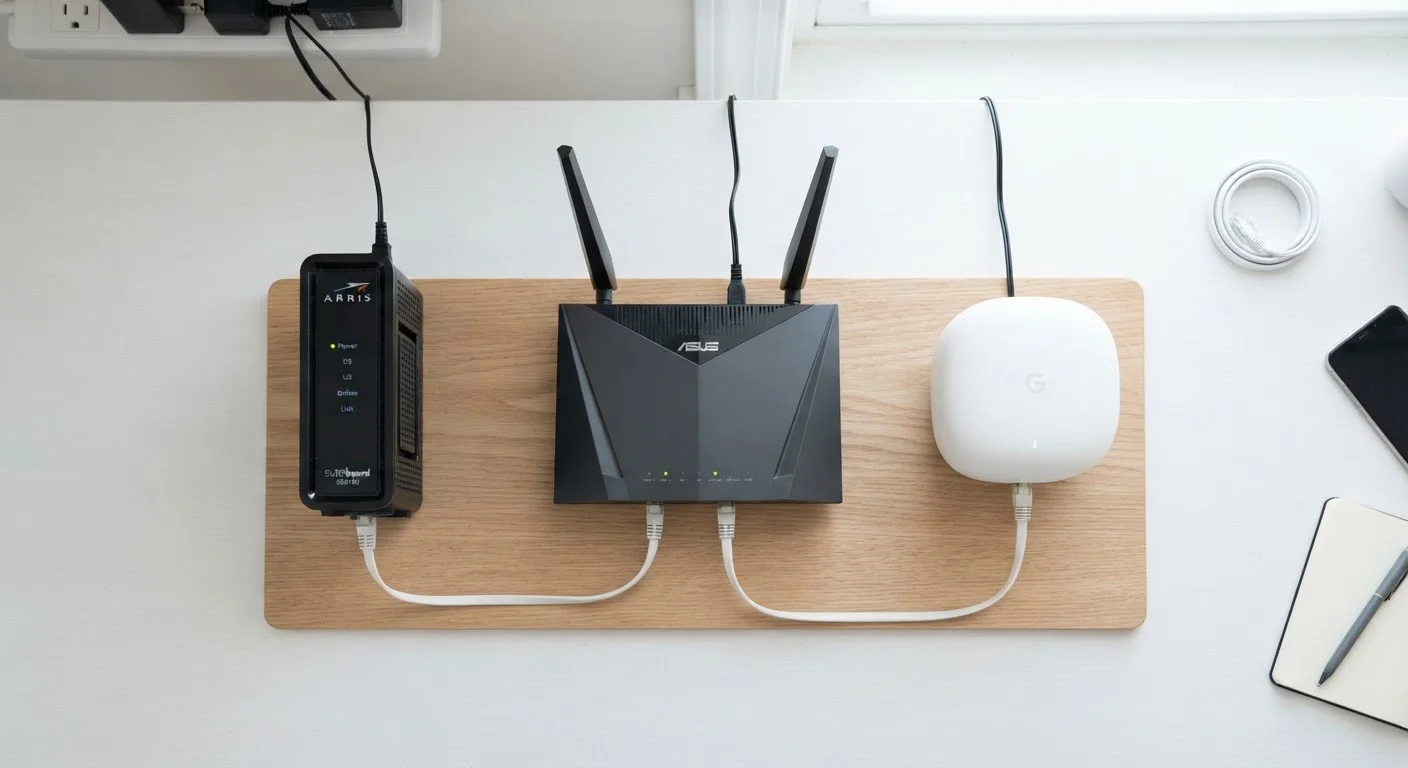
In a typical home, the signal path looks like this: ISP network → modem → router → your devices. If you're using a gateway, the modem and router stages are collapsed into one box. Both arrangements work - the question is which makes sense for your situation.
Separate modem and router setups give you more control. You can choose a router with better range, faster Wi-Fi standards, or more advanced parental controls without being limited by whatever the ISP provides. If your ISP rents you a gateway, some providers let you put it into bridge mode - essentially disabling its router functions so your own router takes over traffic management.
For a side-by-side breakdown of the modem and router distinction specifically, the article Modem vs. Router: Two Devices That Do Very Different Jobs goes deeper on the practical implications. More context on home internet and Wi-Fi fundamentals is also available through the Internet & Connectivity hub.
Renting vs. Owning Your Equipment
Many ISPs charge a monthly rental fee for gateway equipment that can add up to $100 or more per year. Some providers allow customers to use their own compatible modem or gateway instead, which may reduce ongoing costs. Check with your ISP to confirm which third-party devices are approved for your specific service tier and connection type before making any changes to your setup.