

Key Takeaways
- Your ISP delivers internet to your home; your router distributes it to devices.
- Data travels as packets that are broken apart, routed, and reassembled in milliseconds.
- Connection type - cable, fiber, DSL, or fixed wireless - affects speed and reliability.
- Wi-Fi and internet are not the same thing; one is local, the other is global.
- Your plan's speed determines how much data can flow in and out per second.
Home Internet Connection
A home internet connection is a service that links your household devices - phones, laptops, smart TVs - to the global network of computers known as the internet. Your internet service provider (ISP) delivers a signal to your home through a physical medium (cable, fiber-optic line, or wireless signal), and your in-home equipment translates that signal into usable Wi-Fi or wired connections. Data travels in two directions: requests you send out (uploads) and content you receive back (downloads).
At the protocol level, all internet traffic is broken into small packets of data that are routed independently across networks and reassembled at the destination - a process governed by TCP/IP standards.
The Basic Chain: From ISP to Your Screen
When you load a webpage or start a video call, a chain of events fires off in milliseconds. It starts at your internet service provider (ISP) - the company that sells you internet access. Your ISP maintains a network of cables or wireless infrastructure that carries data from the broader internet into your neighborhood and ultimately into your home.
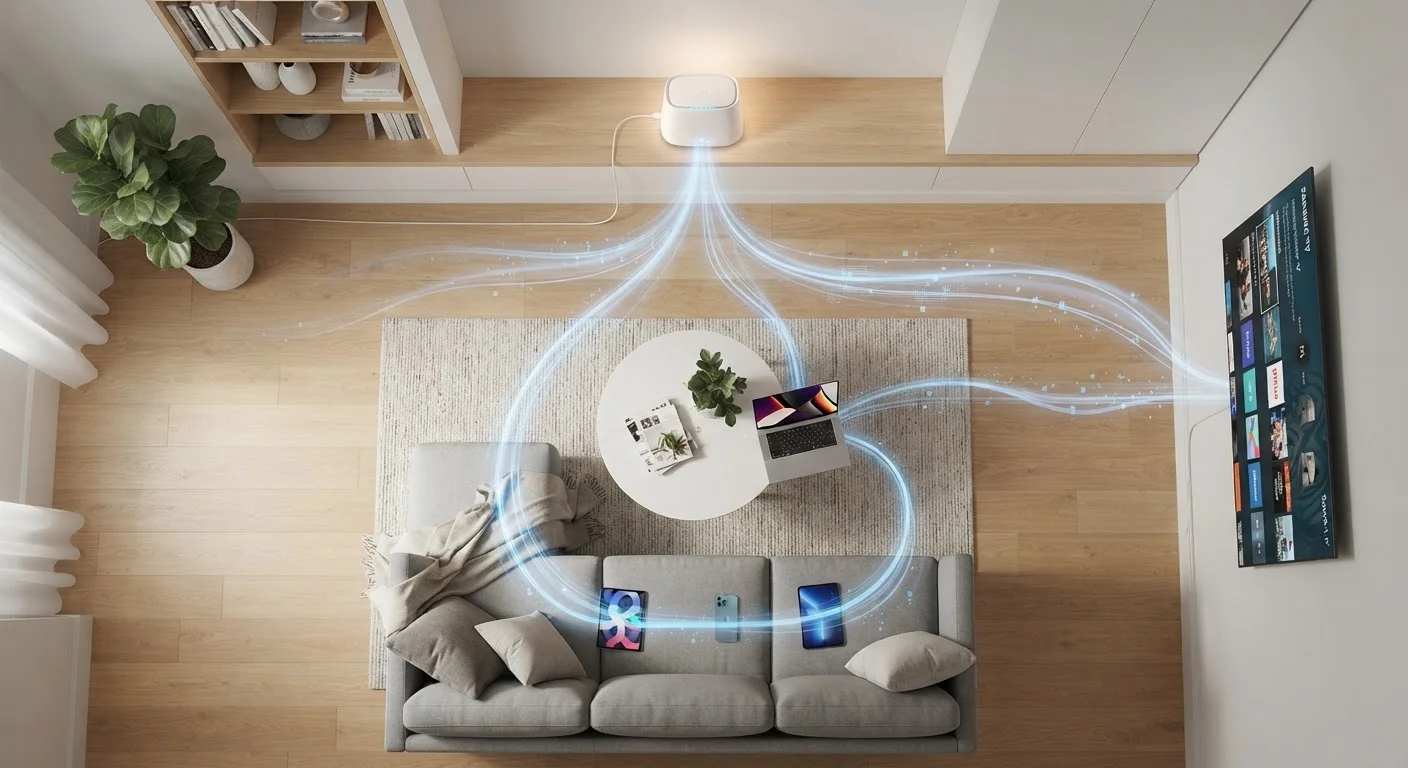
That signal enters your home through a modem, a device that translates the ISP's signal into a format your home network can use. From there, a router takes over, distributing the connection to every device in your house - wirelessly via Wi-Fi or through physical Ethernet cables. Many ISPs supply a single gateway device that combines both functions. For a deeper look at how these devices differ, see our guide on routers, modems, and gateways.
90%+
U.S. households with fixed broadband access
According to FCC Broadband Data Collection reports, the vast majority of U.S. locations now have access to at least one fixed broadband provider.
~20ms
Typical fiber-optic round-trip latency
Fiber connections routinely achieve latency under 20 milliseconds for domestic requests, compared to 600ms or more for older satellite systems.
7+
Average connected devices per U.S. household
Industry research consistently finds the average American home has more than seven internet-connected devices competing for bandwidth.
How Data Actually Moves: Packets and Protocols
Internet data doesn't travel as one continuous stream. Instead, it's broken into small chunks called packets. When you request a webpage, your device sends out packets asking for that content. Those packets travel across multiple routers and network nodes - often crossing thousands of miles - before reaching the destination server. The server then sends the response back as its own set of packets, which your device reassembles into what you see on screen.
This system is governed by a set of rules called TCP/IP (Transmission Control Protocol/Internet Protocol). TCP ensures packets arrive in the right order and requests retransmission if any are lost. IP handles addressing - every device on the internet has a numerical IP address that works like a postal code, telling packets where to go.
“The internet is a network of networks - no single entity owns or controls it. Data finds its own path through whichever routes are available at that moment, which is what makes it so resilient.”
— Vint Cerf, Co-creator of TCP/IP and widely credited as one of the founding architects of the internet
Connection Types and What They Mean for You
Not all home internet connections are built the same. The technology your ISP uses to deliver service affects speed, reliability, and availability:
- Cable: Uses coaxial cable (the same infrastructure as cable TV). Widely available and capable of high speeds, though performance can dip during busy hours because neighbors share bandwidth.
- Fiber-optic: Transmits data as pulses of light through glass or plastic fibers. Offers the fastest and most consistent speeds, with equally fast upload and download rates. Availability is expanding but still limited in many rural areas.
- DSL (Digital Subscriber Line): Runs over existing phone lines. Slower than cable or fiber, but often available in areas where those aren't.
- Fixed wireless: A signal is broadcast from a tower to an antenna mounted on your home. A growing option in suburban and rural areas.
- Satellite: Connects via orbiting satellites. Reaches almost anywhere but has historically carried higher latency; newer low-Earth-orbit systems have reduced this significantly.
Understanding which type you have helps you set realistic expectations and troubleshoot problems more effectively. You can also use this knowledge when evaluating what speed tier actually fits your household.
Common Misconceptions Worth Clearing Up
A few persistent myths lead people to misunderstand - and sometimes overpay for - their home internet service.
Wi-Fi is not the internet. Wi-Fi is the wireless signal your router creates inside your home. The internet is the global network your ISP connects you to. If your ISP's service goes down, your Wi-Fi can still be active - you just won't reach anything outside your home network.
More Mbps isn't always better. Paying for faster speeds only helps if your devices, router, and usage patterns can actually use them. A household with light browsing habits may never notice the difference between 100 Mbps and 500 Mbps. Our article on home internet myths addresses several of these misconceptions in detail.
Slow internet isn't always your ISP's fault. An aging router, interference from neighboring Wi-Fi networks, or a device with an outdated wireless card can all cap your real-world speeds well below what your plan promises. Isolating the cause - ISP, modem, router, or device - is the first step toward fixing it. For a broader introduction to managing all of this, see our beginner's guide to home networking.