

Key Takeaways
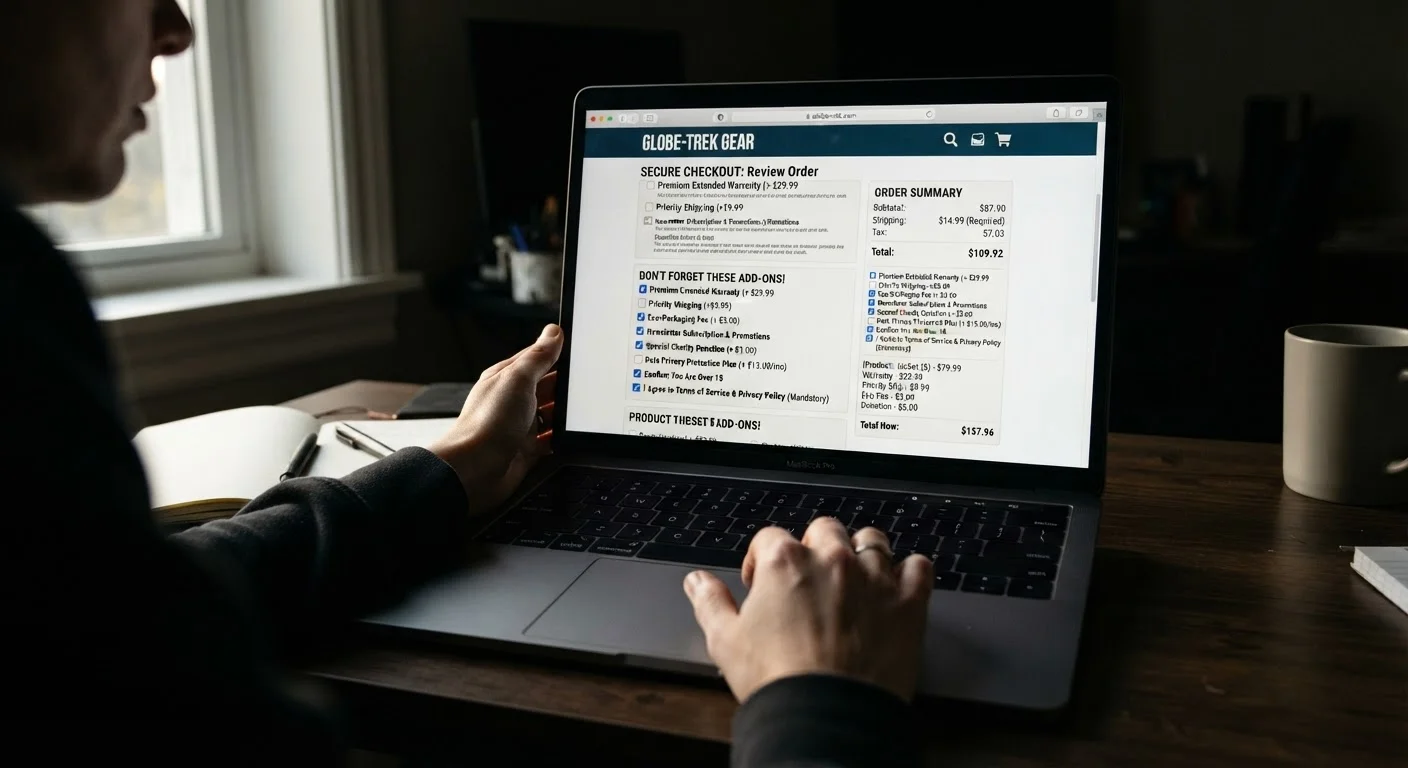
- Pre-checked boxes and auto-added items can inflate your cart total without your explicit consent.
- Shipping costs and "handling" fees are frequently inflated or added only at the final checkout step.
- Many free trial offers during checkout automatically convert to paid subscriptions after a short window.
- Slowing down and reading every line of the order summary before clicking 'Pay' is your strongest defense.
- Regulators in the U.S. have increasingly targeted dark patterns, but enforcement is uneven - self-protection matters.
What Are Dark Patterns and Why Do They Thrive at Checkout?
"Dark patterns" is a term used in consumer protection and UX (user experience) research to describe interface designs that nudge or trick users into actions they didn't intend - like agreeing to extra charges, enrolling in subscriptions, or buying add-ons they didn't choose. Checkout flows are a prime hunting ground for these tactics because shoppers are already in a spending mindset and moving fast.
The Federal Trade Commission (FTC) has published guidance identifying dark patterns as a growing enforcement concern, and several states have passed or are developing legislation targeting them. But legal protections lag behind the pace of retail innovation, which means recognizing these tricks yourself remains essential. Understanding how your consumer rights apply is a useful foundation - but spotting the manipulation in real time is what actually protects your wallet.
The Most Common Checkout Mistakes Shoppers Make
The mistakes below aren't failures of intelligence - they're the predictable result of deliberate design choices. Knowing what to look for changes the dynamic entirely.
Failing to uncheck pre-selected add-ons or accessories in the cart.
Why it happens: Retailers pre-tick boxes for warranties, accessories, or "protection plans" knowing that most shoppers won't notice or will assume the default choice is the right one.
Accepting a "free trial" membership offer that appears mid-checkout without reading the terms.
Why it happens: These offers are framed as bonuses timed to feel like a reward for the purchase already in progress, which lowers a shopper's guard. The recurring charge start date is often buried in fine print.
Not accounting for shipping, handling, and "processing" fees until the final payment screen.
Why it happens: Retailers routinely advertise the item price without fees, then surface the full cost only at the last step - counting on cart momentum to carry the shopper through.
Missing a non-refundable or restocking-fee clause that limits your ability to return an unwanted add-on.
Why it happens: Return policy details are rarely surfaced during checkout, and shoppers who were unknowingly enrolled in an add-on often discover the return restrictions only after trying to undo the charge.
Assuming a "confirm" or "continue" button only moves you to the next step, not finalizing a charge.
Why it happens: Some checkouts use ambiguous button labels - "Confirm," "Continue," "Accept Offer" - that are actually one-click purchase completions or subscription enrollments, not navigation buttons.
76%
Shoppers who report unexpected charges at checkout
A 2022 survey by Consumer Reports found that approximately three in four American online shoppers had encountered unexpected charges or fees during the checkout process.
$2.8B+
Annual consumer losses from negative-option billing
The FTC has cited negative-option marketing - including auto-renewing subscriptions enrolled at checkout - as generating billions of dollars in disputed charges annually.
Before You Click Pay: A Practical Review Habit
The single most effective defense against dark patterns is a deliberate pause at the order summary screen. Treat it as a checklist, not a formality. Confirm that every line item matches something you intentionally selected. If you see a product name, subscription label, or "membership" entry you don't recognize, remove it before proceeding - not after.
Don't Rely on the Retailer to Flag Mistakes
Checkout flows are optimized to generate revenue, not to help you catch errors. Pre-checked boxes, buried subscription disclosures, and ambiguous button labels are design choices - not oversights. The responsibility to review your order before paying falls entirely on you. Once a charge clears, unwinding it through a dispute can take weeks and isn't guaranteed to succeed.
Check the final shipping cost against what was advertised when you added the item to your cart. If the number changed, find out why before paying. Look for small-print disclosures near the total that reference auto-renewal terms or trial periods. For a more structured approach, the pre-purchase safety checklist covers seller verification and payment protection steps worth building into your routine.
If you're dealing with a free trial offer that surfaced mid-checkout, review how negative-option billing works before you enter your payment details. And once you've paid, check your order confirmation email against your bank or card statement within 24-48 hours - discrepancies are easiest to dispute while they're fresh. Also consider using a temporary card number for unfamiliar retailers, which limits your exposure if charges escalate unexpectedly.