

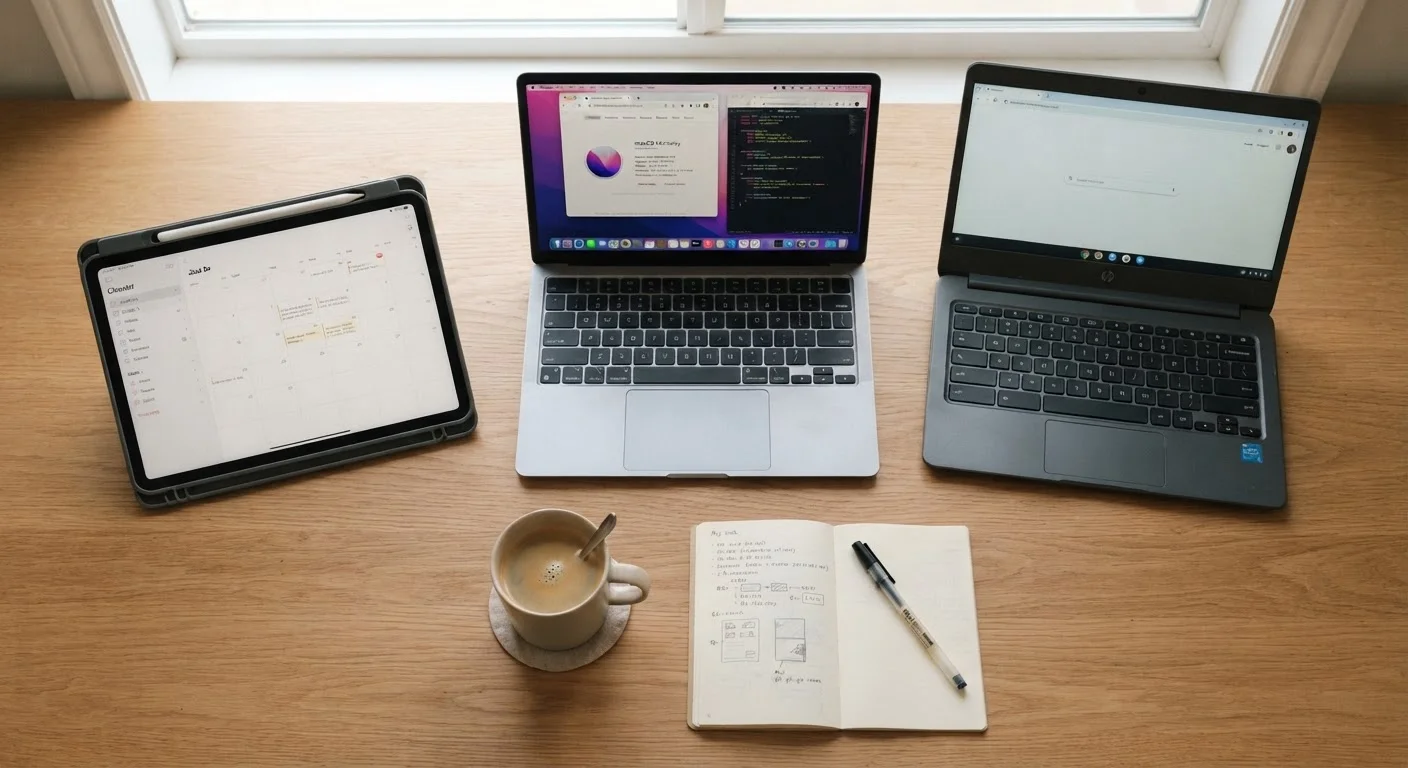
Key Takeaways
- Tablets excel at media consumption and portability but struggle with complex, multi-tab work.
- Laptops offer the widest software compatibility and keyboard-first workflow for productivity tasks.
- Chromebooks are well-suited for web-based work and tend to require less maintenance than traditional laptops.
- Your daily habits - not specs - should drive which device you choose.
- Many users find that two device types complement each other rather than one device doing everything well.
Our Verdict
No single device type wins outright - each reflects a different philosophy about how computing fits into daily life. Tablets reward portability and simplicity; laptops reward flexibility and power; Chromebooks reward low-friction, web-centered work. Matching the device to your actual habits, rather than an idealized version of them, leads to better long-term satisfaction.
| Best for | Recommended |
|---|---|
| Media consumption, casual browsing, and on-the-go use | Tablet |
| Heavy productivity, creative work, and software-dependent tasks | Laptop |
| Web-based workflows, students, and users who dislike maintenance | Chromebook |
Why Form Factor Matters More Than You Think
Most people buy a device based on price or brand recognition, then discover six months later that it doesn't quite fit how they actually work. A tablet feels limiting when you need a keyboard for two hours straight. A full laptop feels heavy when all you want to do is read on the couch. Choosing between a tablet, a laptop, and a Chromebook is less about which is technically superior and more about which aligns with how you naturally use a screen.
Before diving into specifics, it helps to think honestly about your habits: Where do you use your device most? How often do you type for extended periods? Do you rely on specific software, or do most of your tasks happen inside a browser? Once you decide on the right form factor, be sure to check out setting up your new device safely - the first hour matters more than most people realize.
Tablets: Built for Consumption, Compromised for Creation
Tablets shine in scenarios where you're taking in content rather than producing it - streaming video, reading articles, video calling, or light social media browsing. Their touchscreen-first design, slim profile, and solid battery life make them the most portable option in this comparison.
Where tablets struggle is sustained keyboard work. Even with an add-on keyboard case, the experience rarely matches a dedicated laptop. File management is more limited, multitasking across multiple applications can feel constrained, and specialized desktop software simply isn't available on tablet operating systems. If your work involves managing spreadsheets with dozens of tabs, editing long documents, or running industry-specific applications, a tablet is likely to frustrate you as a primary device.
That said, for users whose computing needs genuinely center on consumption, tablets offer an experience that laptops can't easily replicate - intuitive, lightweight, and comfortable to hold for extended periods.
| Tablet | Laptop | Chromebook | |
|---|---|---|---|
| Portability | Lightest, most portable | Moderate, varies by size | Light to moderate |
| Keyboard workflow | Limited, add-on required | Full, built-in | Full, built-in |
| Software compatibility | Mobile apps only | Widest - Windows/macOS | Web + Android apps |
| Maintenance burden | Low | Moderate to high | Low, auto-updates |
| Best primary use | Media, casual browsing | Productivity, creative work | Web-based workflows |
| Offline capability | Moderate | Strong | Limited without internet |
| Typical entry price range | Low to high | Moderate to premium | Low to moderate |
Laptops: The Generalist's Tool
Laptops remain the most versatile option for most working adults. They run full desktop operating systems, support the widest range of software, and are designed around a keyboard-and-trackpad workflow that suits extended productivity sessions. Whether you're writing reports, editing photos, managing complex spreadsheets, or joining video calls with screen sharing, a laptop handles these tasks without the workarounds a tablet often requires.
The trade-offs are real, though. Laptops are heavier and bulkier than tablets, battery life varies considerably, and they tend to require more active maintenance - software updates, storage management, and occasional performance tuning. Good device habits make a meaningful difference in how long a laptop stays responsive. Laptops are also typically priced at a premium compared to entry-level tablets or Chromebooks, though the range varies widely.
Chromebooks: Web-First and Low Maintenance
Chromebooks run ChromeOS, an operating system built around the assumption that most of your work happens in a browser. Google Docs, Gmail, streaming services, video calls, and cloud storage all work smoothly. Many Chromebooks also support Android apps, which extends their utility for tasks like note-taking or light photo editing.
The limitation is intentional: if your work depends on Windows or Mac-specific software - accounting programs, Adobe creative tools, or industry-specific platforms - a Chromebook won't run them natively. For users whose workflows are genuinely browser-based, however, Chromebooks offer a compelling combination of simplicity, security, and low-maintenance operation. ChromeOS receives automatic updates in the background and is generally considered less vulnerable to traditional malware than Windows. For students, educators, and remote workers living in Google Workspace or similar platforms, Chromebooks are often a practical fit.
Your home internet connection also plays a role here - a web-centric device works best with a reliable connection. Understanding what internet speed you actually need can help you decide whether your current plan supports cloud-dependent work.
Try Before You Commit to a Form Factor
If you have access to a library, school, or retailer that lets you spend time with each device type, take advantage of it. Fifteen minutes of real use - typing an email, navigating between tabs, holding the device - tells you more than any spec sheet. Pay attention to what feels natural versus what requires adjustment, since small friction points tend to compound over years of daily use.
Making the Call for Your Situation
The honest answer for many users is that no single device does everything well. Tablets and laptops are a common pairing - the tablet handles casual use and travel, the laptop handles serious work. A Chromebook can serve as a capable primary device for the right user, or as a reliable secondary machine for a household.
Ask yourself what you actually do most of the time, not what you imagine you might do. If 80 percent of your screen time is browsing, streaming, and messaging, a tablet or Chromebook may serve you better than a full laptop. If you regularly write, analyze data, or use specialized software, a laptop is likely worth the investment. Whichever you choose, treat setup as a priority from day one to avoid security gaps down the line.