

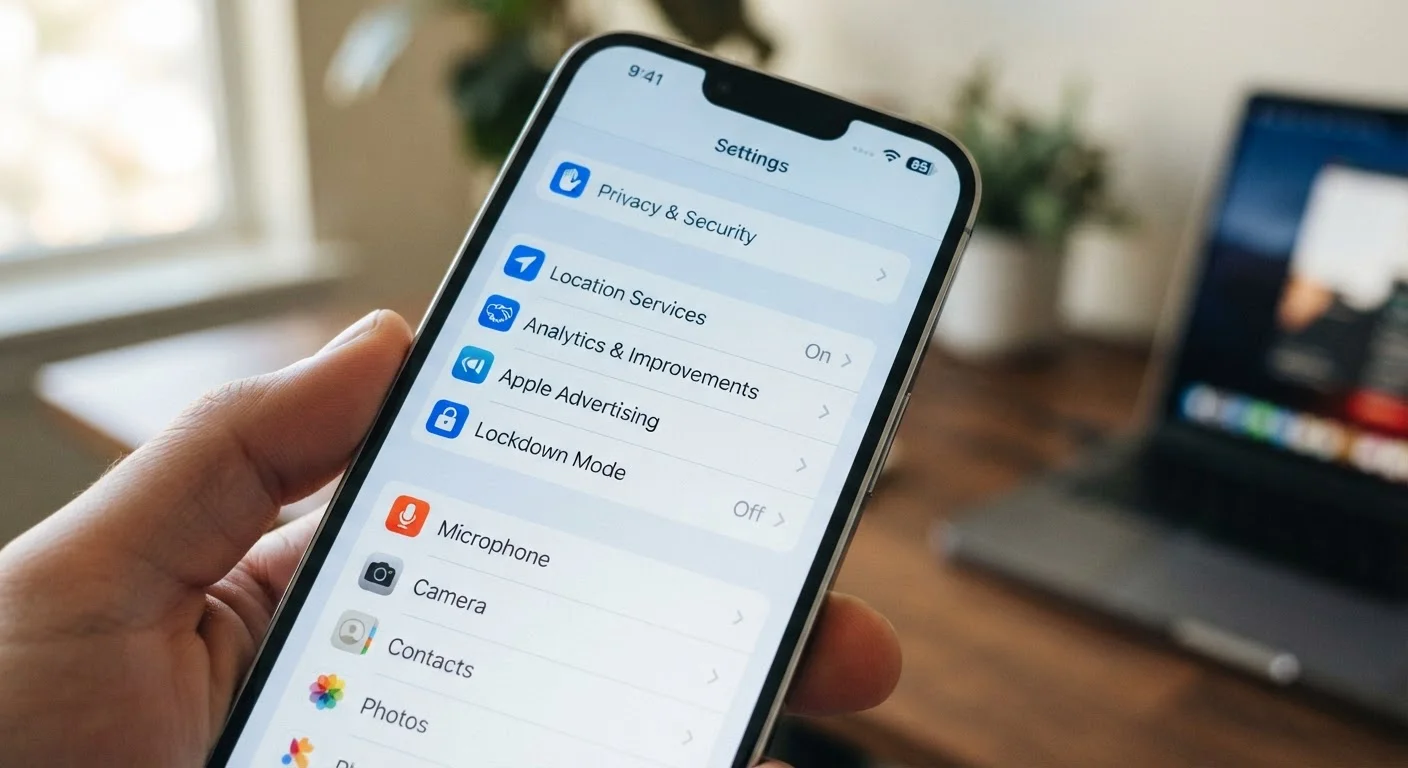
Key Takeaways
- Location Services is one of the most active background data collectors on any smartphone.
- Diagnostic and usage data settings send device behavior logs to manufacturers by default.
- App permissions - especially for microphone, contacts, and camera - often exceed what apps actually need.
- Ad tracking identifiers link your behavior across apps unless you opt out in settings.
- Reviewing your settings periodically is a practical step toward greater data awareness.
- Both Android and iOS offer built-in privacy dashboards that summarize recent data access.
Device Tracking via Settings
Your smartphone's settings menu controls dozens of features that quietly log data about your location, habits, and usage patterns. Many of these features are turned on by default when you set up a new phone. This data is used by the operating system, app developers, and sometimes third parties to personalize your experience - but the collection happens whether or not you're aware of it.
On both Android and iOS, data collection is governed by platform privacy frameworks, but individual app permissions and diagnostic settings can still transmit behavioral data to remote servers even when a device appears idle.
Location Services: Always On by Default
Location Services is the most pervasive data-collection feature on any smartphone. When enabled - which it is by default on most new devices - it allows apps, the operating system, and device services to log where you are, when you were there, and how long you stayed. This isn't limited to mapping apps. Weather apps, social platforms, food delivery services, and even some games request location access, often with permissions set to run in the background at all times.
What many users don't realize is that location data is stored in layers. Your device keeps a history of significant locations it has detected. Separately, individual apps may be transmitting coordinate data to their own servers. On iPhone, this is found under Settings > Privacy & Security > Location Services > System Services > Significant Locations. On Android, the equivalent lives in Google's Timeline feature under Maps history settings.
Reviewing which apps have "Always" location access - versus "While Using" - is one of the most effective privacy steps an everyday user can take.
Set Location to 'While Using' as a Default
Rather than auditing every app individually at first, a quick win is to open Location Services and switch any app set to 'Always' down to 'While Using App.' This single change prevents background location logging across most apps without breaking their core functionality. You can always grant permanent access later to apps that genuinely need it.
Diagnostic Data and What It Actually Includes
When you set up a new phone, you're typically prompted to share diagnostic and usage data with the manufacturer. Most people accept this without reading the fine print. What gets sent can include how long you use specific apps, which features you interact with, battery behavior, crash logs, and system performance metrics. While this data is used to improve software, it amounts to a detailed behavioral profile of how you use your device.
On iPhone, this setting lives under Settings > Privacy & Security > Analytics & Improvements. Android devices have a similar option, though its exact location varies by manufacturer. Turning this off doesn't break any functionality - it simply stops your device from reporting usage patterns back to the platform.
For a broader look at how online platforms piece together your digital behavior, the data your browser collects offers useful parallel context.
Anonymization Has Limits
Manufacturers typically describe diagnostic data as anonymized or aggregated. While this reduces identifiability, researchers have demonstrated that behavioral patterns - like timing of app use, frequency of specific actions, and device characteristics - can sometimes be cross-referenced with other data to narrow down individual users. This doesn't mean diagnostic sharing is harmful, but it's worth understanding that 'anonymized' is not the same as 'untrackable.'
App Permissions: The Gap Between Need and Access
Every app you install can request access to hardware and data on your phone: microphone, camera, contacts, calendar, photos, Bluetooth, and more. The problem is that many apps ask for permissions that aren't strictly necessary for what they do. A flashlight app rarely needs your contacts. A casual game rarely needs your microphone.
Both Android and iOS now provide permission dashboards that let you audit these in one place. You can see which apps have accessed your microphone or camera in the past few days, and revoke permissions you didn't knowingly grant. This is particularly worth checking after updating apps, since updates can silently introduce new permission requests.
The Online Safety hub covers additional steps for managing your digital privacy footprint, including social media privacy audits that often overlap with mobile settings reviews.
72%
Apps requesting location access they don't need
Research from app privacy analysis organizations has found that a substantial majority of popular apps request location permissions beyond their core functionality.
45+
Data points a single app can collect
App store privacy labels on platforms like Apple's App Store now require disclosure of data types collected, revealing that many common apps log dozens of distinct data categories.
1 in 3
Users who have never reviewed app permissions
Consumer surveys on smartphone privacy awareness consistently find that a large share of users have never opened the permissions manager on their device.
Ad Tracking, Identifiers, and Cross-App Data
Every smartphone is assigned an advertising identifier - a string of characters that follows your device across apps, allowing advertisers to link what you do in one app with what you do in another. This is how a shoe retailer's ad can appear in a news app shortly after you browsed footwear elsewhere. The identifier itself doesn't include your name, but when combined with other data points - location, device type, behavioral patterns - it can build a surprisingly specific profile.
Apple introduced App Tracking Transparency, which requires apps to ask your permission before using this identifier. Android offers the ability to delete the advertising ID entirely. Neither option blocks all tracking, but both meaningfully reduce the data available to advertising networks. For context on how collected data moves beyond your device entirely, our coverage of data brokers and their removal options explains the downstream picture.
If you're setting up a device for the first time, the setup steps most people skip walks through the privacy decisions worth making before you start using your phone in earnest.